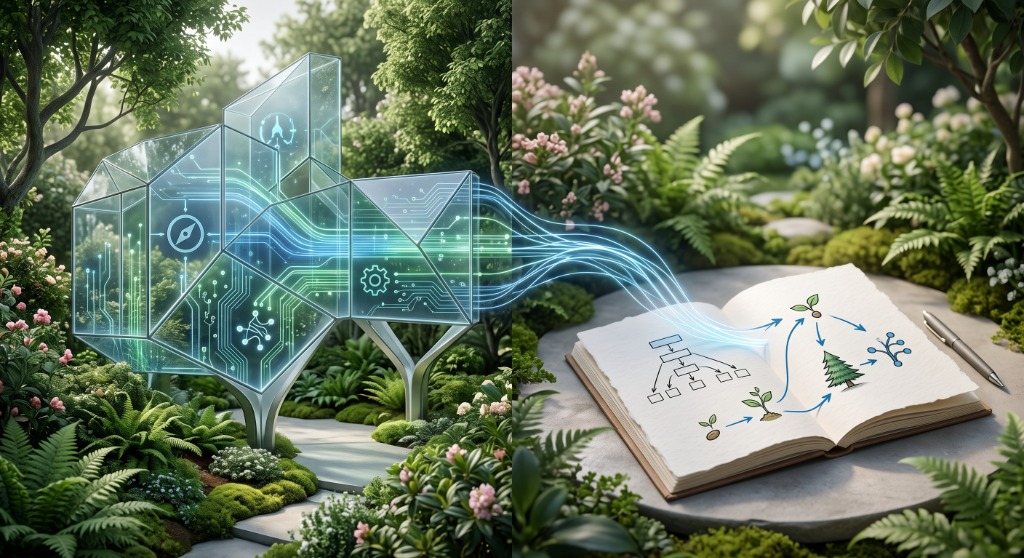
Building a Modern Digital Garden with Angular 22, SSR, and Markdown
Building a Modern Digital Garden with Angular 22, SSR, and Markdown
As developers and builders, we want complete ownership over our writing workflow, typography, routing, and SEO. While traditional CMS platforms often come with database bloat and rigid publishing models, a Git-native Digital Garden offers the ultimate combination of speed, simplicity, and creative freedom.
In this architecture guide, we dive into how this garden is built using Angular 22 (SSR), Tailwind CSS v4, Firebase App Hosting, and a build-time Wikilinks, Backlinks & Idea Evolution Compiler.
The System Architecture Overview
Our pipeline separates local Markdown authoring from production content serving. This gives us lightning-fast page loads with zero database bottlenecks, while still supporting real-time features like live reader discussions.
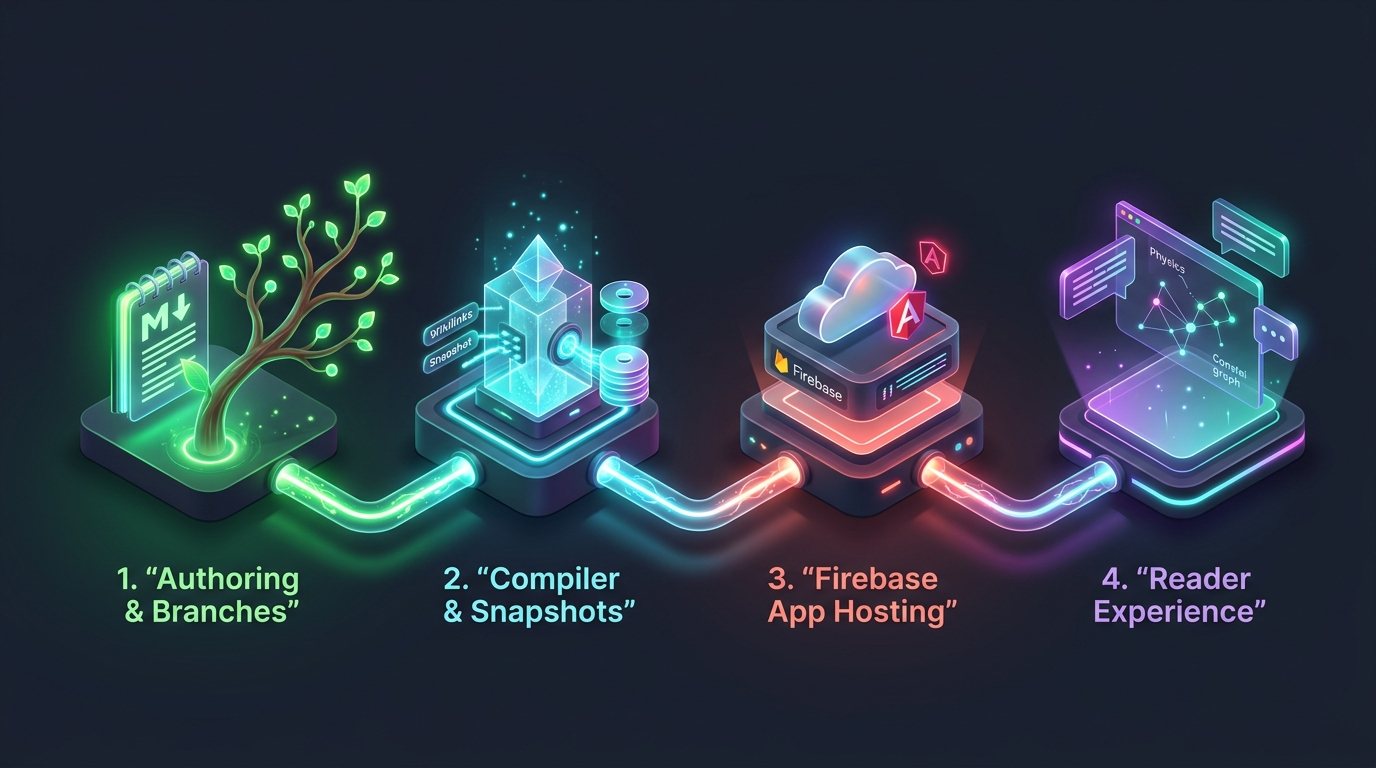
The system works in 4 simple steps:
- Authoring & Long-Lived Branches: Every post lives on its own permanent, long-lived Git branch (
garden/<slug>) where ideas are drafted and cultivated locally in Markdown. - Compiler & Snapshot Engine: At build time, scripts connect notes together (
[[wikilinks]]), calculate backlinks, and save historical snapshot milestones intocontent.json. - Firebase App Hosting: Whenever a living note branch is merged into
main, Firebase App Hosting automatically builds and deploys our Angular 22 SSR app on Cloud Run. - Interactive Reader Experience: Fast page loads, an interactive knowledge graph, in-app time-travel to view past branch releases, and live reader discussions powered by Firebase Auth and Firestore.
Core Technical Features
1. Obsidian-Style Wikilinks & Inbound Backlinks
When writing notes in markdown, you can link to other notes using double brackets like [[welcome-to-my-digital-garden|Welcome to my digital garden]] or [[from-gemini-chats-to-signals-why-i-built-a-digital-garden]].
During build time, the compilation script:
- Detects all outgoing references across all markdown files while protecting inline code and code blocks.
- Automatically creates a "Mentioned In" section (inbound backlinks) on referenced notes so ideas connect in both directions.
- Converts wikilinks into fast, client-side Angular router links with instant hover previews.
2. Idea Evolution & Pivot Tracking (Living Thought Lineage)
Digital gardens shouldn't just show polished essays—they should capture the journey of how your thinking evolves over time.
Alongside traditional maturity stages (🌱 Seed, 🌿 Bud, 🌳 Evergreen), the garden supports:
- 🔀 Pivoted: When a thought or technical approach deliberately shifts direction. Frontmatter links (
pivotedTo: "new-slug",pivotReason: "...") automatically generate 🔀 Idea Evolution Trail banners on the old note and 🪵 Lineage & Roots banners on the new note. - 🍂 Pruned: Deprecated or archived thoughts kept for historical transparency.
3. Interactive Knowledge Graph
The garden includes an interactive visual map that connects concepts organically like a constellation:
- Nodes are sized and color-coded by their growth maturity (Teal for Evergreen, Lime for Bud, Amber for Seed, Purple for Pivoted, and Rust for Pruned).
- Related thoughts pull together into natural clusters using dynamic physics.
- Drag nodes, hover to inspect connections, and click to navigate directly to any note.
4. Server-Side Rendering (SSR) & Firebase App Hosting
The entire application is deployed via Firebase App Hosting:
- Git-Driven Rollouts: Merging a note branch into
mainautomatically triggers Cloud Build, prerendering static routes and deploying the Angular 22 SSR backend on Cloud Run. - Instant SEO & Social Cards: Every route delivers pre-rendered HTML with dynamic OpenGraph meta tags and Twitter summary cards so links preview beautifully when shared.
5. Living Branches & In-App Time-Travel: Release Snapshots
In gardening, a branch is a living limb of a tree that continuously grows and evolves. In our workflow, each note has its own dedicated, long-lived Git branch (garden/<slug>).
Whenever a branch is merged into main, it creates an immutable Release Snapshot:
- Permanent Snapshot URLs: Past versions receive permanent standalone URLs like
/post/<slug>/v/<date>-<hash>, making it easy to cite or share the exact state of an idea at a specific moment in time. - In-App Version Switcher: Readers can rewind the article to any past milestone right on the page using the Version selector or URL parameter.
- Archived Release Header: When viewing any historical snapshot, an amber banner displays the release timestamp and change note, with a one-click return to the current active thought.
6. Hybrid Reader Engagement: Google Auth & Cloud Firestore
A digital garden is more fun when readers can share thoughts and feedback, without slowing down the site:
- Instant Static Content: Article text, graphs, and revision histories are pre-compiled and served instantly with 0ms database overhead.
- Real-Time Discussions: Beneath every note, an interactive comment section connects to Cloud Firestore (
blog_comments), letting readers post feedback, questions, or technical addendums. - Google Sign-In: Readers authenticate in one click via Firebase Auth, keeping discussions friendly and authentic with verified names and avatars.
Writing & Cultivating New Notes
To cultivate a new thought in the garden:
- Switch to (or create) the note's branch:
git checkout -b garden/<slug> - Create or edit the
.mdfile insidecontent/with frontmatter (title,growth,tags,heroImage,changelog). - Interlink with existing concepts using
[[slug]]or[[slug|Custom Title]]. - Merge into
mainand push—Firebase App Hosting compiles the snapshot history, prerenders the routes, and deploys live automatically!
For a wider view on the full-stack ecosystem powering this setup, check out My Tech Stack: The Google-Native Architecture for the Agentic Era.
Note Evolution & Releases
Snapshot history as this thought was cultivated over time
Promoted to Evergreen: complete full-stack architecture guide with 3D pipeline illustration and Firestore reader layer
Expanded with Idea Evolution & Pivot tracking, and Firebase App Hosting GitOps workflows
Initial planting (Angular 22 SSR, Canvas physics graph, wikilinks compiler)
Discussion & Garden Notes
Share your insights, reflections, or critiques on this note.
Join the conversation
Sign in with Google to post comments, share technical perspectives, and connect your thoughts.
No thoughts planted yet.
Be the first to share an insight on this note!